# Platform Overview (Reference: https://docs.iqra.bot/platform)
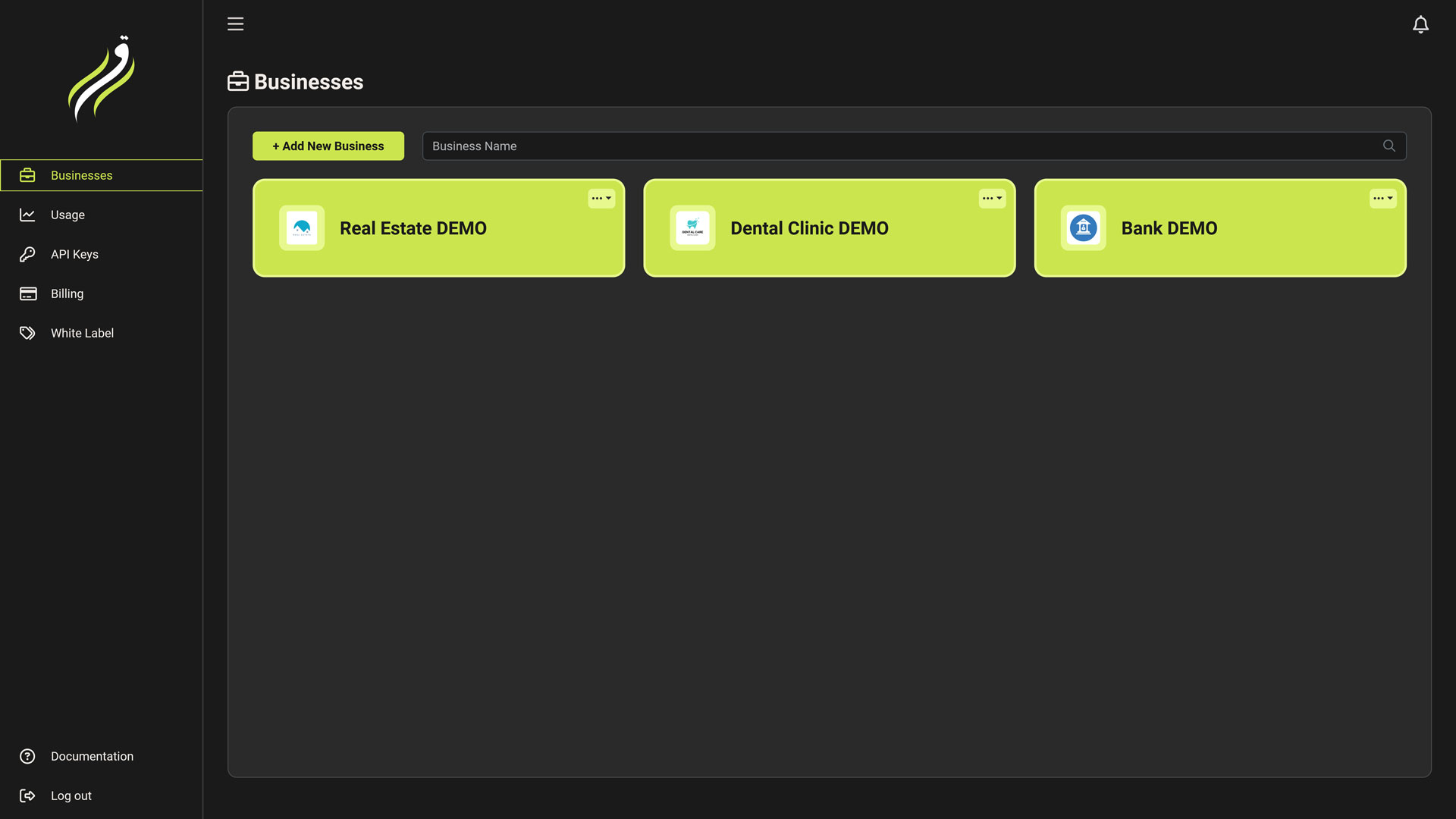 The **User Dashboard** is the top-level management layer of Iqra AI. It is designed for the **Account Owner** or **Agency Administrator**.
Unlike the **[Business Dashboard](/build)** (which is for building agents), this dashboard focuses on **Governance**:
* **Who** has access? (Tenancy & Whitelabeling)
* **How much** are we spending? (Finance)
* **How** is the system performing globally? (Analytics)
Core Modules [#core-modules]
} title="Businesses" href="/platform/organization">
**Workspaces.** Create isolated containers for your projects or clients. Each business has its own agents, numbers, and data.
} title="Billing & Plans" href="/platform/billing">
**The Wallet.** Manage your credit balance, subscription plans, payment methods, and auto-refill settings.
} title="Usage Analytics" href="/platform/usage">
**The Ledger.** View aggregated cost reports, filter usage by business or feature, and audit transaction history.
} title="API Keys" href="/platform/api-keys">
**Access Control.** Generate secure tokens to control the platform programmatically. Support for Business-scoped keys.
} title="Whitelabeling" href="/platform/whitelabel">
**Agency Engine.** (Cloud Only) Rebrand the platform with your domain/logo and manage sub-customers.
The Hierarchy Strategy [#the-hierarchy-strategy]
Iqra AI uses a strictly hierarchical model to ensure data safety, easy billing management, and agency scalability.
Key Concepts [#key-concepts]
* **Global Billing:** You pay for *all* usage across your businesses from a single wallet. You do not need separate credit cards for every workspace.
* **Data Isolation:** While billing is shared, *data* is not. An API Key scoped to "Business A" cannot read the conversation logs of "Business B".
* **Whitelabeling (Agency Mode):** As a Master User, you can create "Customers." A Customer is a sub-user who can log in to a specific Business Workspace via your custom domain (e.g., `app.youragency.com`), seeing only what you permit.
To start building agents, click on any card in the **Businesses** tab to enter the Workspace context.
The **User Dashboard** is the top-level management layer of Iqra AI. It is designed for the **Account Owner** or **Agency Administrator**.
Unlike the **[Business Dashboard](/build)** (which is for building agents), this dashboard focuses on **Governance**:
* **Who** has access? (Tenancy & Whitelabeling)
* **How much** are we spending? (Finance)
* **How** is the system performing globally? (Analytics)
Core Modules [#core-modules]
} title="Businesses" href="/platform/organization">
**Workspaces.** Create isolated containers for your projects or clients. Each business has its own agents, numbers, and data.
} title="Billing & Plans" href="/platform/billing">
**The Wallet.** Manage your credit balance, subscription plans, payment methods, and auto-refill settings.
} title="Usage Analytics" href="/platform/usage">
**The Ledger.** View aggregated cost reports, filter usage by business or feature, and audit transaction history.
} title="API Keys" href="/platform/api-keys">
**Access Control.** Generate secure tokens to control the platform programmatically. Support for Business-scoped keys.
} title="Whitelabeling" href="/platform/whitelabel">
**Agency Engine.** (Cloud Only) Rebrand the platform with your domain/logo and manage sub-customers.
The Hierarchy Strategy [#the-hierarchy-strategy]
Iqra AI uses a strictly hierarchical model to ensure data safety, easy billing management, and agency scalability.
Key Concepts [#key-concepts]
* **Global Billing:** You pay for *all* usage across your businesses from a single wallet. You do not need separate credit cards for every workspace.
* **Data Isolation:** While billing is shared, *data* is not. An API Key scoped to "Business A" cannot read the conversation logs of "Business B".
* **Whitelabeling (Agency Mode):** As a Master User, you can create "Customers." A Customer is a sub-user who can log in to a specific Business Workspace via your custom domain (e.g., `app.youragency.com`), seeing only what you permit.
To start building agents, click on any card in the **Businesses** tab to enter the Workspace context.