# Usage Analytics (Reference: https://docs.iqra.bot/platform/usage)
 While the [Billing](/platform/billing) tab handles the money coming *in*, the **Usage Tab** tracks where the resources are going *out*.
This dashboard is your "Receipt." It provides granular transparency into every second of audio processed and every token generated.
Usage Overview [#usage-overview]
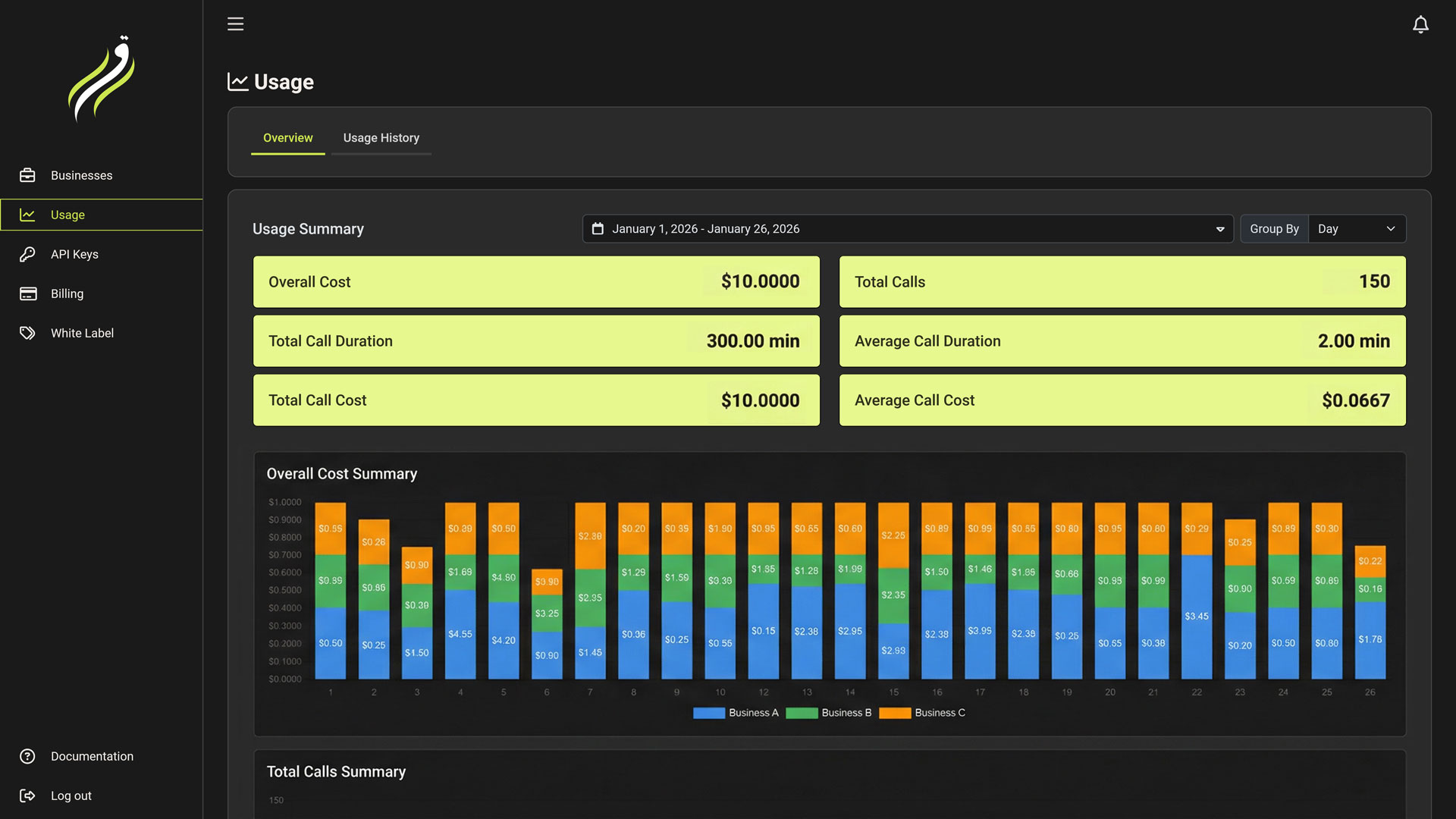
The **Overview Tab** provides high-level metrics for business owners.
* **Cost Analysis:** View your total spend over time (Daily/Monthly).
* **Volume Metrics:** Track total Calls, Minutes, and Request counts.
* **Grouping:** Break down costs by:
* **Day/Month:** Spot usage spikes.
* **Business:** Identify which Workspace/Client is consuming the most resources.
Use the **Group by Business** feature to determine the profitability of your agency clients. If "Client A" is costing $500 but paying you $300, you need to adjust their plan.
Usage History [#usage-history]
The **History Tab** is the detailed ledger. It records every single billable event in the system.
Understanding Line Items [#understanding-line-items]
Each row represents a specific consumption event.
| Column | Description |
| :----------- | :-------------------------------------------------------------------------------------------- |
| **Date** | Timestamp of the event. |
| **Business** | Which workspace generated this cost. |
| **Feature** | The resource used (e.g., `Conversation Minutes`, `Voicemail Detection`, `TTS Cache Queries`). |
| **Quantity** | The amount consumed (e.g., `5.2 Minutes`, `1 Detection`, `5 Cache Queries`). |
| **Cost** | The final amount deducted from your balance (or quota). |
Filtering [#filtering]
You can drill down into specific data points using the filter bar:
* **Date Range:** "Last 7 Days", "This Month", or Custom Range.
* **Business:** Isolate logs for a specific client workspace.
While the [Billing](/platform/billing) tab handles the money coming *in*, the **Usage Tab** tracks where the resources are going *out*.
This dashboard is your "Receipt." It provides granular transparency into every second of audio processed and every token generated.
Usage Overview [#usage-overview]
The **Overview Tab** provides high-level metrics for business owners.
* **Cost Analysis:** View your total spend over time (Daily/Monthly).
* **Volume Metrics:** Track total Calls, Minutes, and Request counts.
* **Grouping:** Break down costs by:
* **Day/Month:** Spot usage spikes.
* **Business:** Identify which Workspace/Client is consuming the most resources.
Use the **Group by Business** feature to determine the profitability of your agency clients. If "Client A" is costing $500 but paying you $300, you need to adjust their plan.
Usage History [#usage-history]
The **History Tab** is the detailed ledger. It records every single billable event in the system.
Understanding Line Items [#understanding-line-items]
Each row represents a specific consumption event.
| Column | Description |
| :----------- | :-------------------------------------------------------------------------------------------- |
| **Date** | Timestamp of the event. |
| **Business** | Which workspace generated this cost. |
| **Feature** | The resource used (e.g., `Conversation Minutes`, `Voicemail Detection`, `TTS Cache Queries`). |
| **Quantity** | The amount consumed (e.g., `5.2 Minutes`, `1 Detection`, `5 Cache Queries`). |
| **Cost** | The final amount deducted from your balance (or quota). |
Filtering [#filtering]
You can drill down into specific data points using the filter bar:
* **Date Range:** "Last 7 Days", "This Month", or Custom Range.
* **Business:** Isolate logs for a specific client workspace.